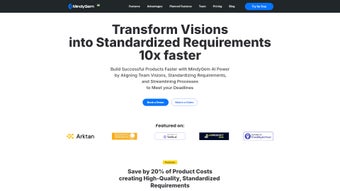

Download MindyGem – AI‑Powered Documentation Assistant for Development Teams
Overview
MindyGem is an innovative AI writing assistant built especially for software development teams that need fast, accurate, and collaborative technical documentation. As a subscription‑based web application, MindyGem eliminates the repetitive back‑and‑forth of requirement‑gathering meetings by automatically generating detailed specifications from UI designs, wireframes, or even simple sketches. The platform consolidates all essential documents—requirements, user stories, test cases, and more—into a single, searchable hub, while offering real‑time discussion threads that keep every stakeholder on the same page throughout the software development lifecycle. Future roadmap items such as direct ticket creation, test case management, and deep integrations with tools like Jira, Swagger, and GitHub make MindyGem a forward‑looking solution that scales as your product grows.
Key Features & AI Capabilities
- Design‑to‑Requirement Engine: Upload UI mockups from a PC or Figma and let MindyGem’s machine‑learning model dissect each element, producing granular technical requirements, acceptance criteria, and suggested API contracts.
- Interactive Documentation Hub: A central repository that stores all project documents, supports version control, and enables inline comments for instant clarification.
- Real‑Time Collaboration: Team members can chat, tag, and resolve documentation issues directly within the platform, reducing email clutter and meeting overload.
- AI‑Assisted Writing: Generate user stories, release notes, and even API specifications with a single prompt, ensuring consistent tone and format across the entire project.
- Future‑Ready Integrations: Planned connectors for Jira, Azure DevOps, Swagger, and popular test‑case frameworks, allowing seamless ticket creation and test management from within MindyGem.
- Secure Cloud Architecture: End‑to‑end encryption, role‑based access control, and compliance with GDPR and ISO‑27001 keep your proprietary designs and requirements safe.
MindyGem’s AI is trained on thousands of open‑source documentation sets, giving it the ability to understand industry‑standard terminology and automatically suggest best‑practice patterns. For example, when you upload a Figma frame containing a login form, the assistant not only lists the UI fields but also proposes validation rules, error handling flows, and relevant security considerations like password hashing and rate limiting. This depth of insight dramatically reduces the time developers spend translating UI designs into actionable backlog items.
Beyond static generation, MindyGem learns from your team’s edits. Each correction feeds back into the model, refining future outputs to match your organization’s style guide and domain‑specific jargon. The result is a living documentation engine that grows smarter the more you use it, ensuring that every sprint starts with a clear, shared understanding of what needs to be built.
Getting Started, Installation & Compatibility
Step‑by‑Step Installation
Since MindyGem is a web‑based SaaS solution, there is no traditional installation required on your local machine. Follow these simple steps to get up and running:
- Create an Account: Visit mindygem.com and sign up for a free 14‑day trial using your corporate email.
- Choose a Subscription Plan: After the trial, select a plan that fits your team size—Starter, Professional, or Enterprise.
- Connect Your Design Tools: Use the built‑in integration wizard to link Figma, Sketch, or upload PNG/SVG files directly from your computer.
- Invite Team Members: Add developers, product managers, QA engineers, and stakeholders by assigning role‑based permissions (Admin, Editor, Viewer).
- Start Generating Docs: Open a new project, drag‑and‑drop your UI file, and click “Generate Requirements.” Review, edit, and publish.
System Requirements & Supported Operating Systems
MindyGem runs entirely in the browser, so it is compatible with any modern operating system that supports the latest versions of Chrome, Edge, Firefox, or Safari. For optimal performance, we recommend:
- Desktop: Windows 10/11, macOS 12 Monterey or later, Linux distributions with recent kernel.
- Mobile: iOS 14+ (Safari) or Android 9+ (Chrome) for on‑the‑go access to documentation and comments.
- Internet: Minimum 5 Mbps broadband connection for smooth AI processing and real‑time collaboration.
The web app leverages WebAssembly and secure WebSockets to ensure low latency communication with our cloud inference servers. No additional plugins or extensions are required, making onboarding frictionless for distributed teams.
Advantages & Drawbacks
Pros
- Time Savings: Automates requirement writing, cutting documentation effort by up to 70%.
- Consistency: AI enforces a uniform style and format across all project artifacts.
- Collaboration: Real‑time comments keep conversations in context, reducing email overload.
- Scalability: Cloud‑native architecture supports teams of any size without performance degradation.
- Future Integrations: Planned Jira and Swagger connectors will streamline ticketing and API lifecycle management.
Cons
- Learning Curve: Teams need time to adapt to AI‑generated content and trust the system.
- Subscription Cost: Ongoing licensing may be higher than one‑time documentation tools for small startups.
- Internet Dependency: Offline work is limited; a stable connection is required for AI processing.
- Initial Setup: Configuring role permissions and integrations can be time‑consuming for large enterprises.
- AI Limitations: Complex domain‑specific requirements may still need manual refinement.
Frequently Asked Questions
Can MindyGem generate documentation from non‑design sources?
Yes. In addition to UI files, you can paste plain‑text feature outlines, CSV requirement tables, or import existing Confluence pages. The AI will restructure the input into a standardized format and fill any gaps using its knowledge base.
Is there a way to export documents for offline use?
Absolutely. MindyGem supports export to PDF, Markdown, and Word formats. You can also sync the repository with a Git branch to keep versioned copies in your codebase.
How secure is the data uploaded to MindyGem?
All data is encrypted in transit (TLS 1.3) and at rest (AES‑256). Role‑based access control ensures only authorized users can view or edit documents. MindyGem complies with GDPR, ISO‑27001, and SOC 2 standards.
Will MindyGem integrate with our existing Jira workflow?
The integration is currently in beta and slated for release in Q2 2026. It will allow you to push generated user stories directly into Jira epics, link test cases, and synchronize status updates automatically.
What support options are available for enterprise customers?
Enterprise plans include 24/7 priority email support, a dedicated account manager, and optional on‑site training sessions. You also gain access to a private Slack channel for rapid troubleshooting.
Conclusion & Call to Action
MindyGem stands out as a forward‑thinking AI writing assistant that transforms the way software teams create and manage technical documentation. By turning UI designs into comprehensive requirements, centralizing all project artifacts, and fostering real‑time collaboration, the platform can shave days off your release cycles and improve communication across developers, product owners, and QA engineers. While the subscription price and internet dependency may be considerations for smaller outfits, the productivity gains and future‑proof integrations make MindyGem a compelling investment for growing organizations.
Ready to experience a faster, more accurate documentation workflow? Start your free 14‑day trial today and see how AI can streamline your development process from design to deployment.



.png)



